👥 Admin 3: Creating groups
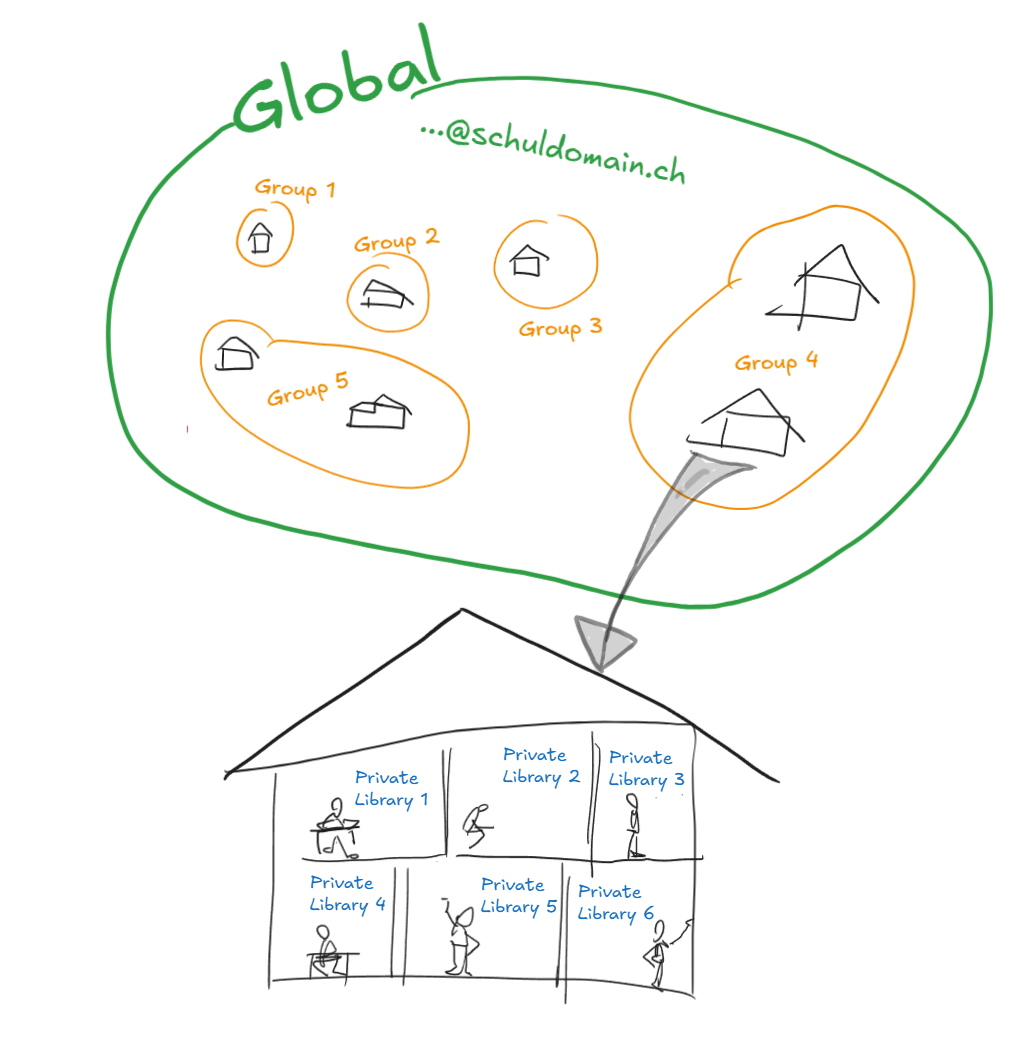
Groups control who sees which classes and libraries in EdumentalAssignPro. All teachers with the same email domain are in the same tenant. You then divide them into groups.
Prerequisite: Admin 2: Granting access.
Plan the group structure before you save. The first setup is quick. Moving classes and members later takes more time.
Two options
- By school building or department, for example
Auenland NordandAuenland Süd. - By cycle or grade level, for example
Cycle 1andCycle 2.
Choose the option that fits how you work together: if teams mainly collaborate within a building, use buildings. If they work across grade levels, use cycles.
Creating a group
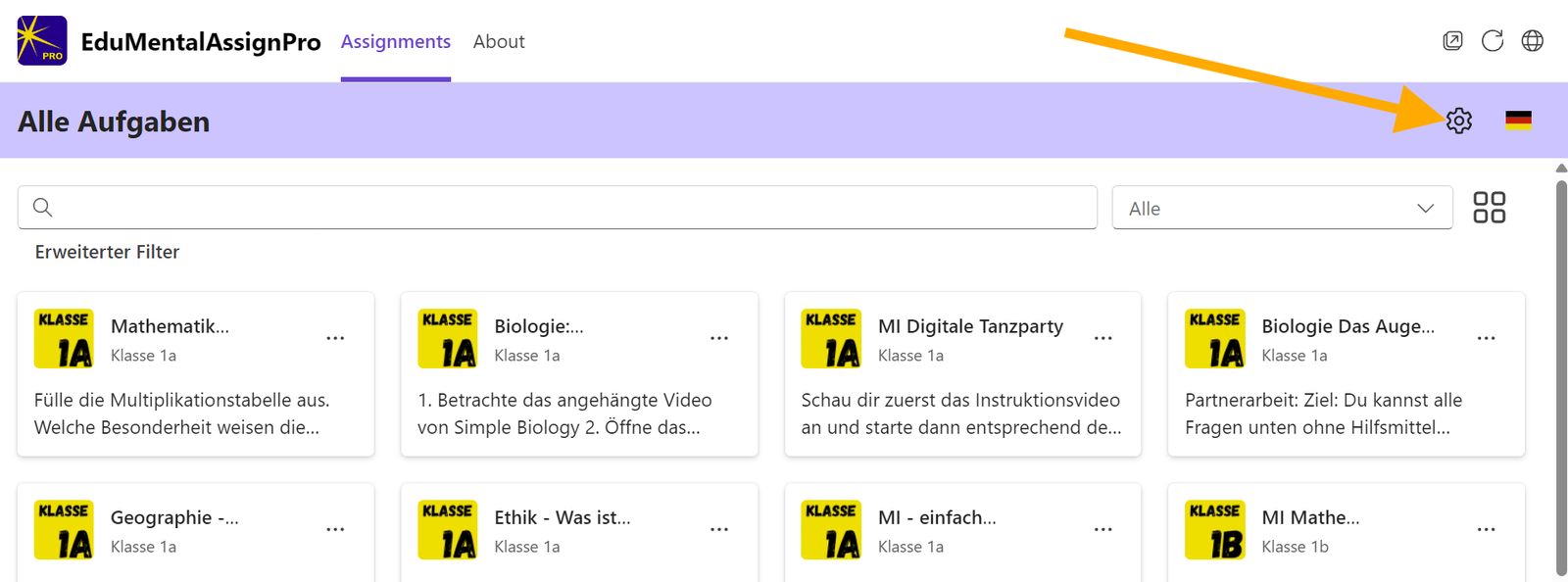
Step 1. Open the settings with this icon:

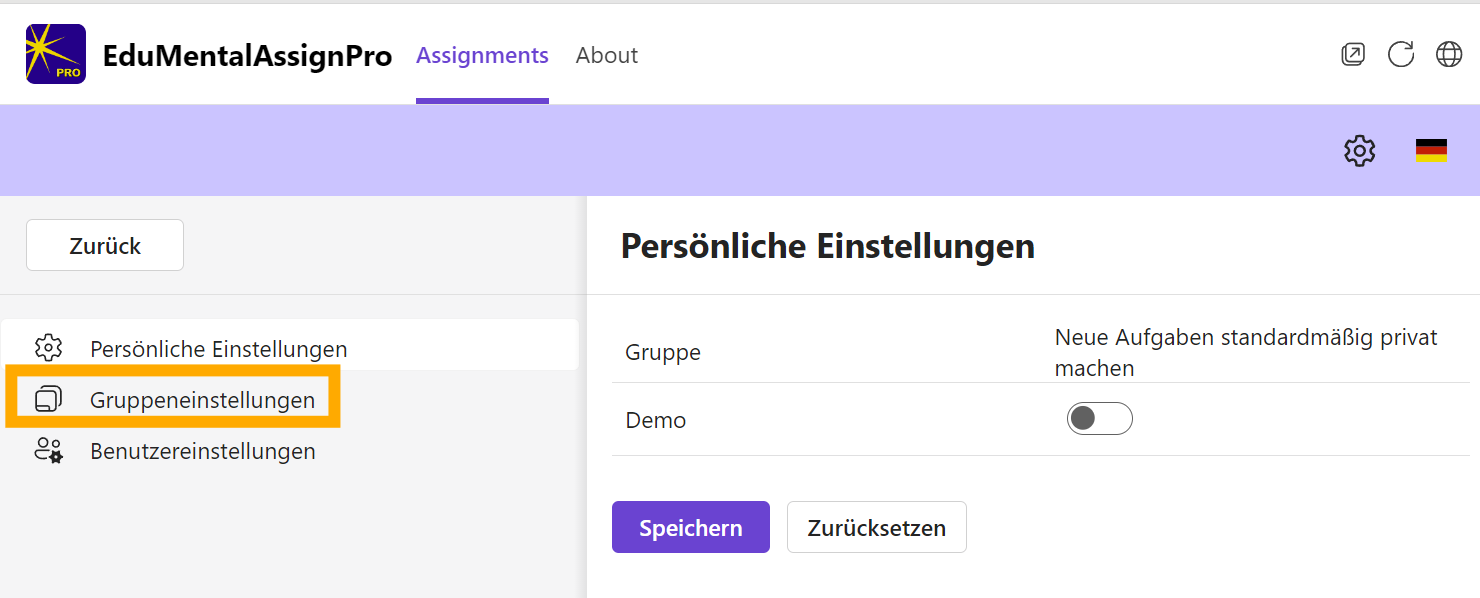
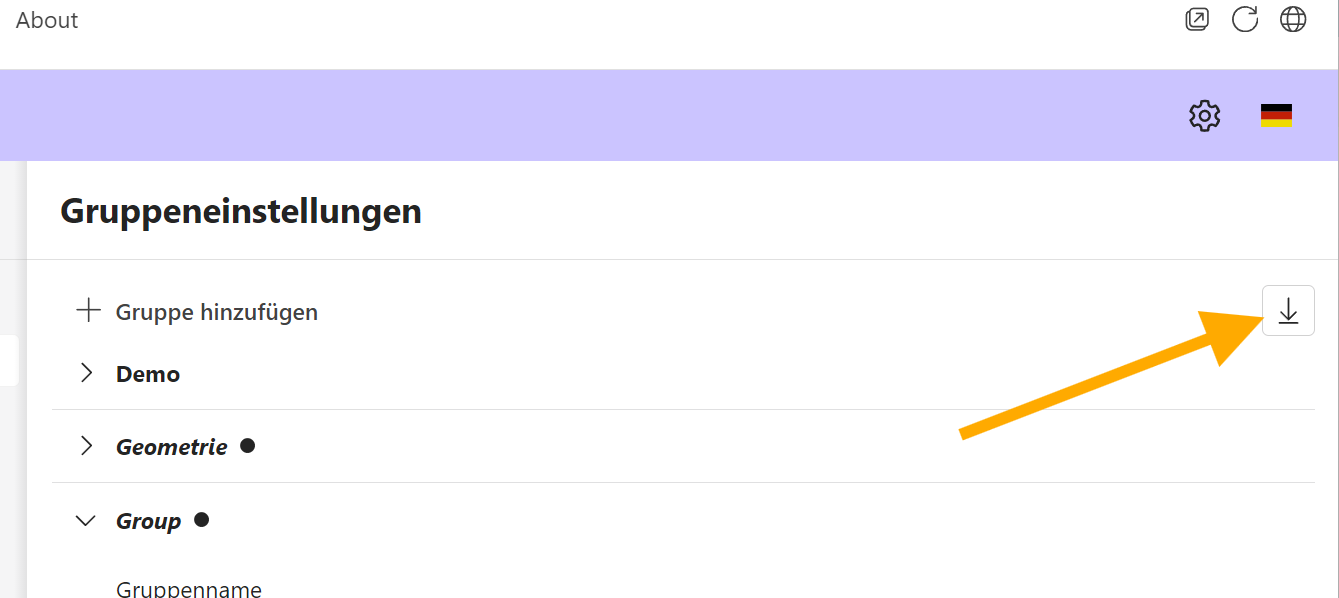
Step 2. Open the group settings.
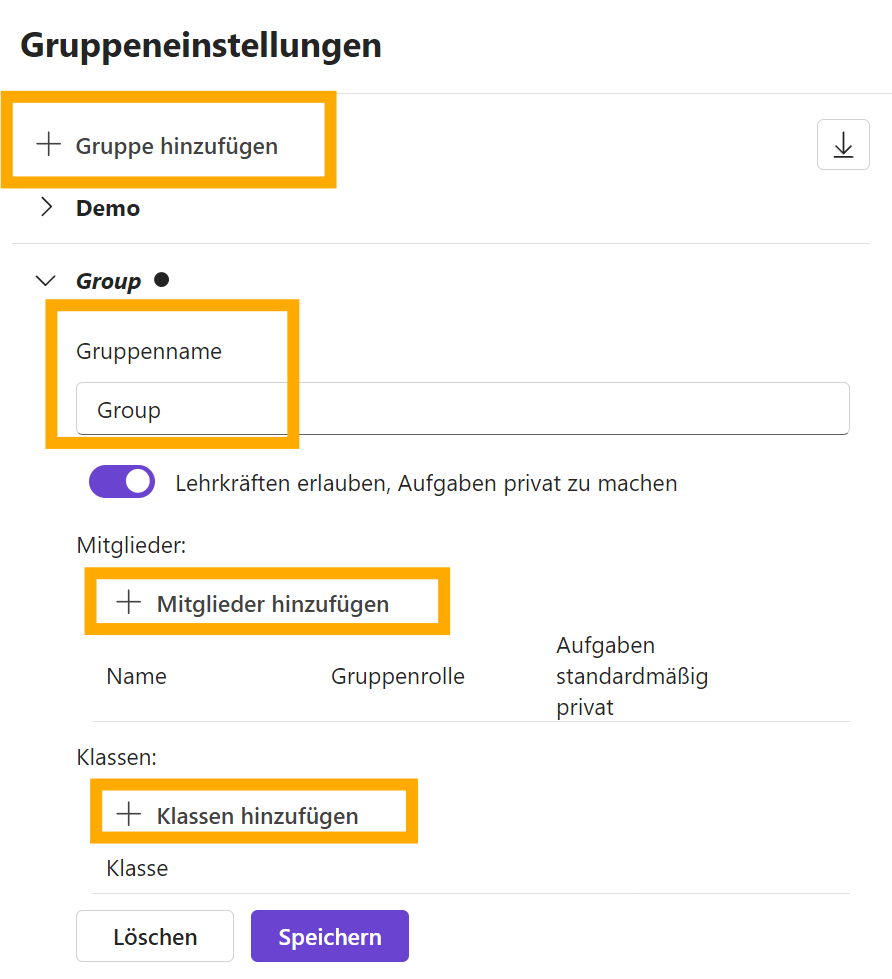
Step 3. Add a group:
- give it a clear name, for example
Auenland Nord - assign classes to the group
- assign members to the group
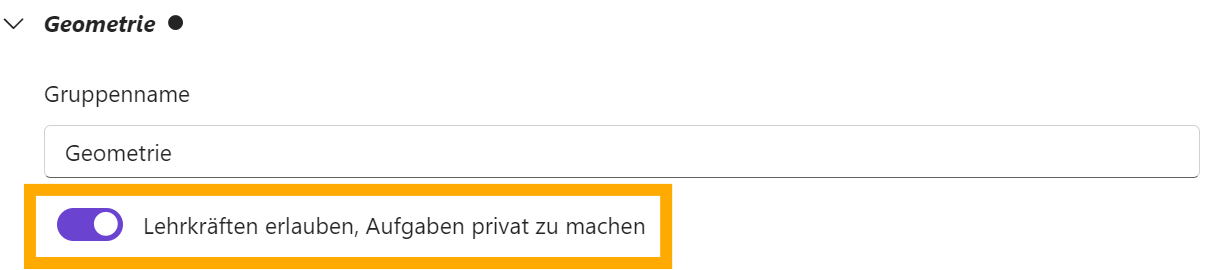
Private assignments
Decide whether teachers may set assignments to private. The setting applies to the group and should match the school’s approach.
Recommendation: leave the private option off if you want to share assignments within the team and choose them later based on ratings.
Exception: turn it on if individual teachers — such as special-needs teachers — create assignments aimed directly at individual students.
- Team, transparency, shared feedback → private option off
- Large groups or student-specific assignments → private option on
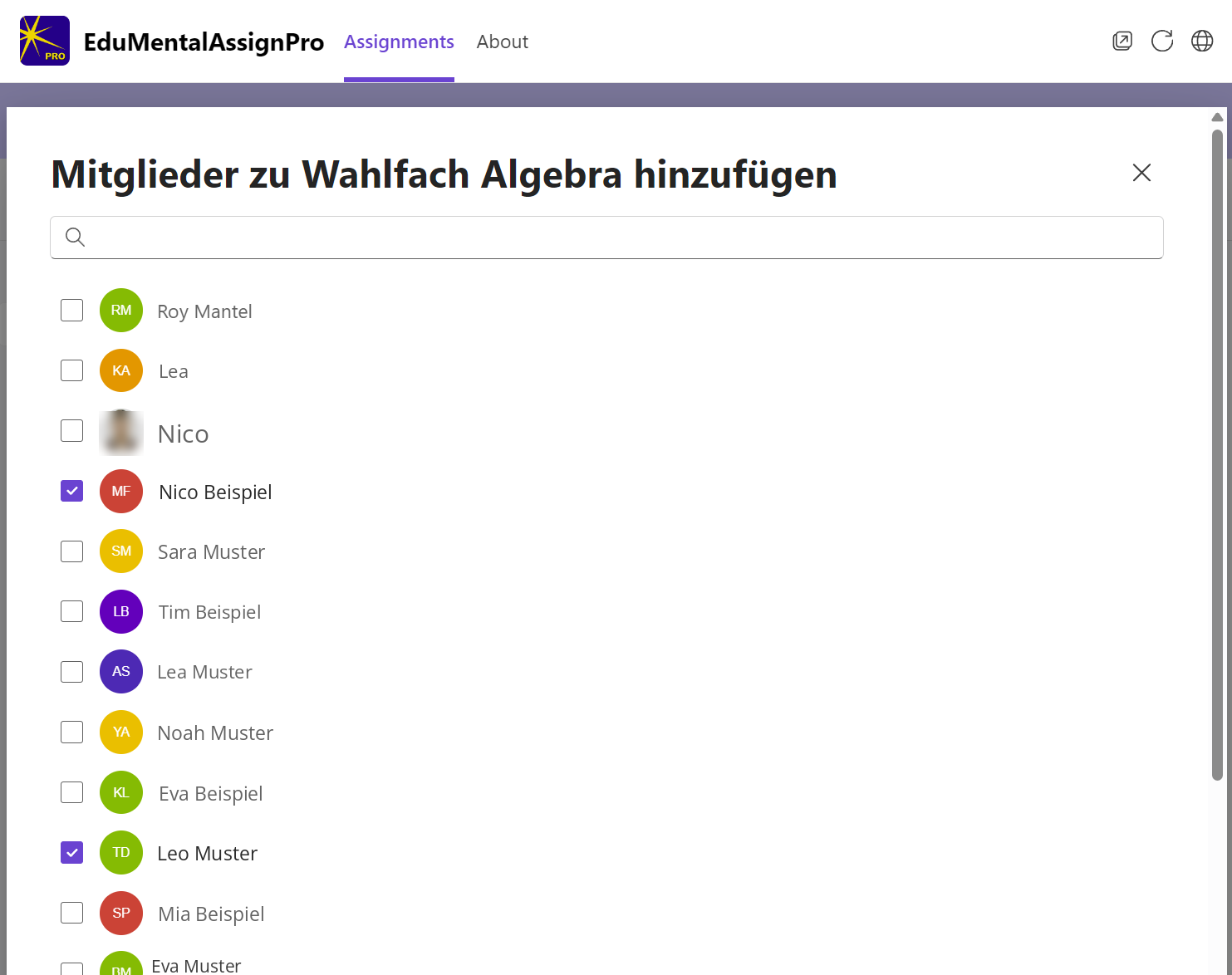
Step 4. Add the members.

Scroll down and click Apply. Otherwise the members won’t be added.
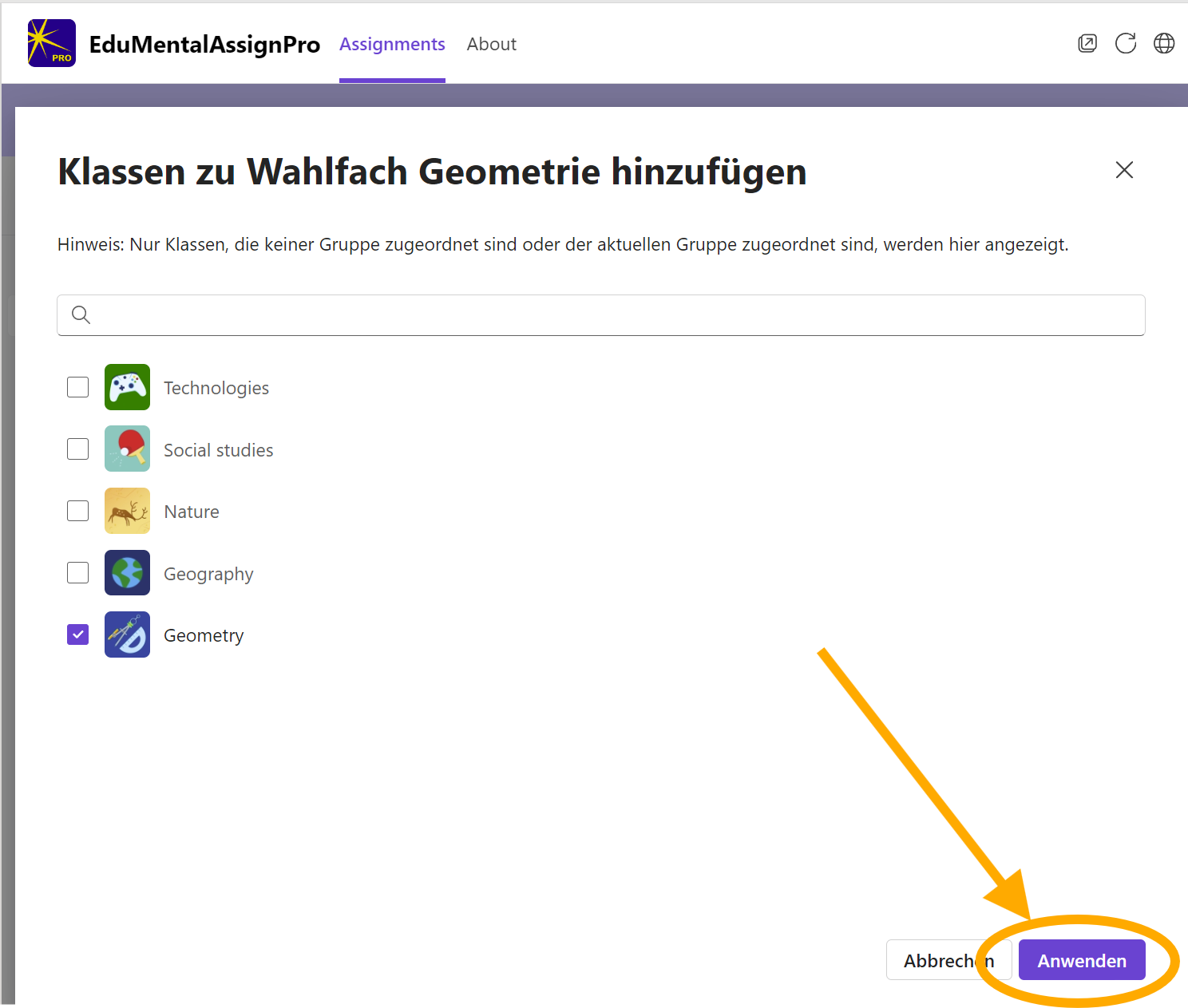
Step 5. Add the classes.

Here too, click Apply before you continue.

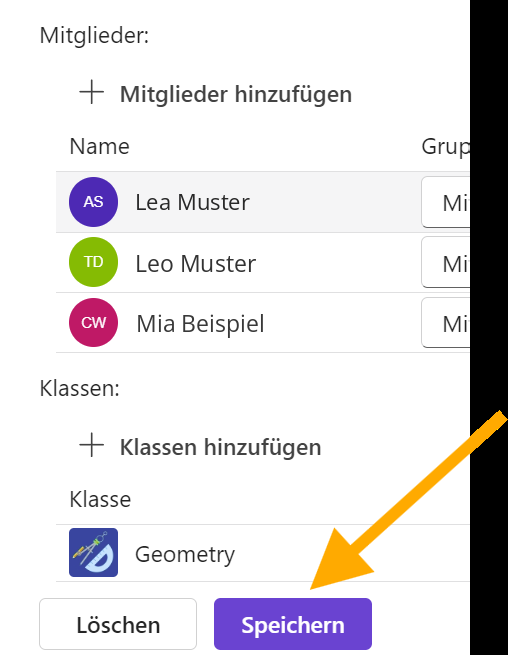
Be sure to click Save before leaving the page. Without saving, everything you entered is lost.

After every change, download a backup of the admin settings and store it somewhere safe.
Next step
Next, in Admin 4: Default title templates for assignments you define what new and copied assignments are called. Who may create global collections or change school-wide settings is set in Admin 5: Setting user permissions.
Something not working as it should?
Contact support or, in urgent cases, call +41 76 753 05 02 (regular call or WhatsApp).